Vocabulary for iPhone

Read anything.
Keep every word.

Point your camera at a page, tap the word you don't know, and see what it means right away. WordVision then quizzes you at the right moments until the word is yours.

Download on the App Store

Coming soon to the App Store · Requires iOS 26

  1. Scan
    Every word on the page, boxed and tappable.
  2. Learn
    Meanings, examples and synonyms in one tap.
  3. Review
    Quick quizzes that test real understanding.
  4. Remember
    Reminders timed to just before you'd forget.
Scan

Point. Scan.
Understand.

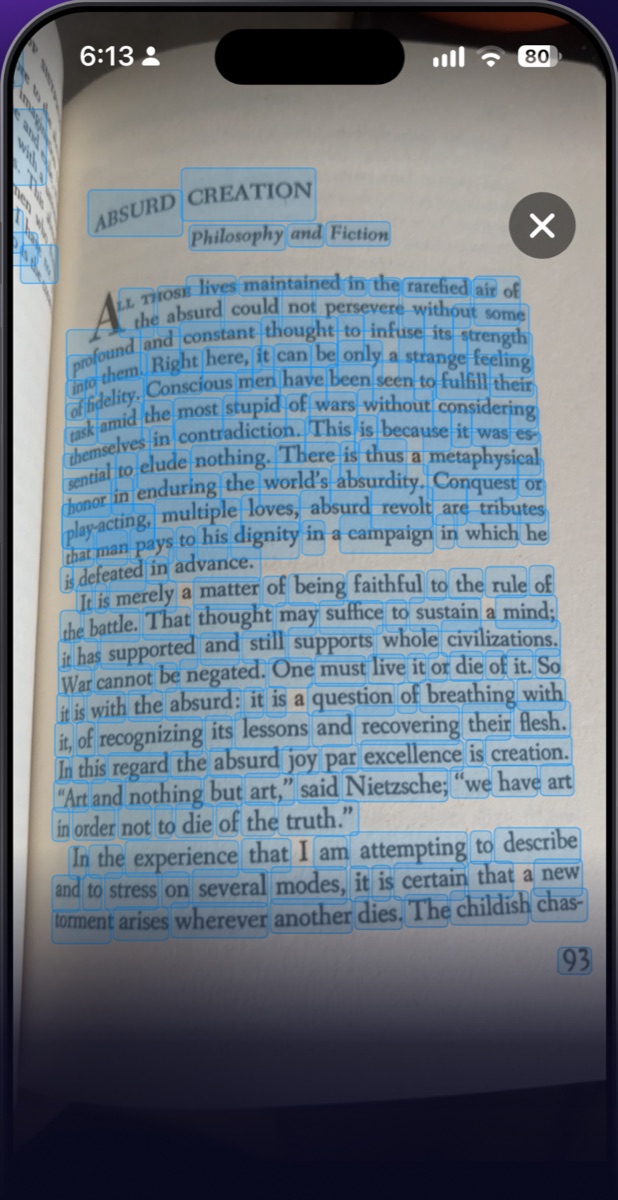
Hold your phone over a book, article or sign. WordVision recognizes the text on the spot and turns every word into something you can tap.

  • Text recognition runs entirely on your iPhone
  • Works on printed books, screens and signs
  • No typing or copying words by hand
WordVision highlighting every word on a book page
Learn

Tap a word.
Learn it for life.

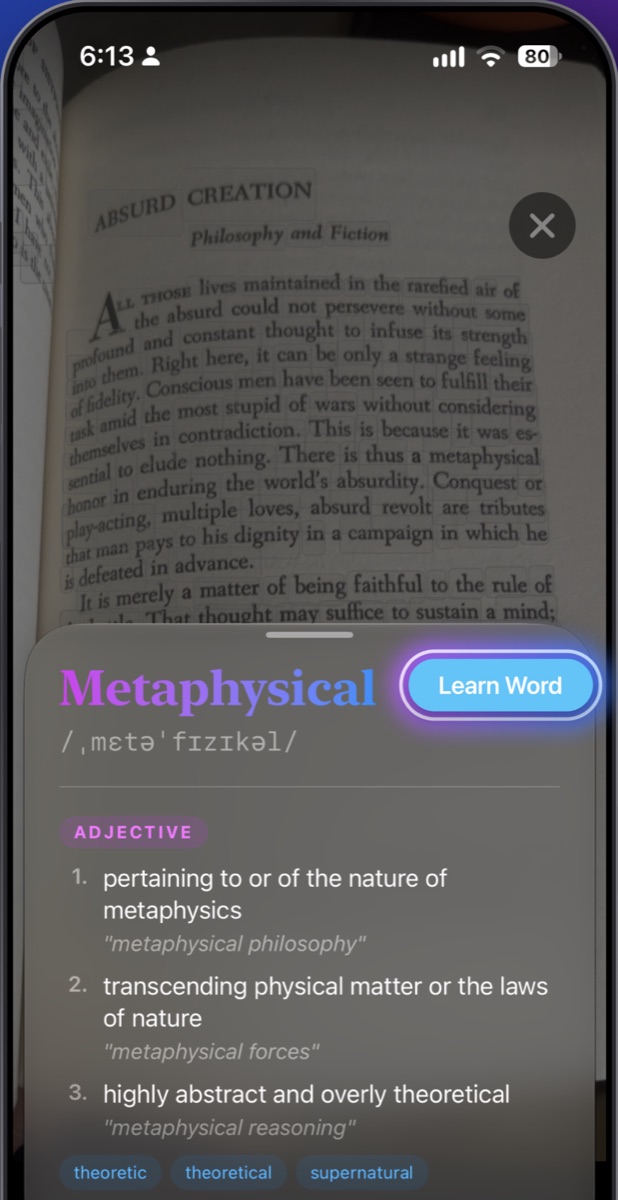
Get a clear definition with pronunciation, example sentences and synonyms. Tap Learn Word to add it to your list.

  • Built-in dictionary that works offline
  • Every sense of the word, grouped by part of speech
  • One tap to start learning it
Definition sheet for the word Metaphysical with a Learn Word button
Review

Make every new
word stick.

Each review shows you a definition and asks which word it describes. You have to recall the meaning, not just recognize the spelling.

  • Short multiple-choice quizzes
  • Get it right three times and the word is learnt
  • Missed one? It comes back a few hours later
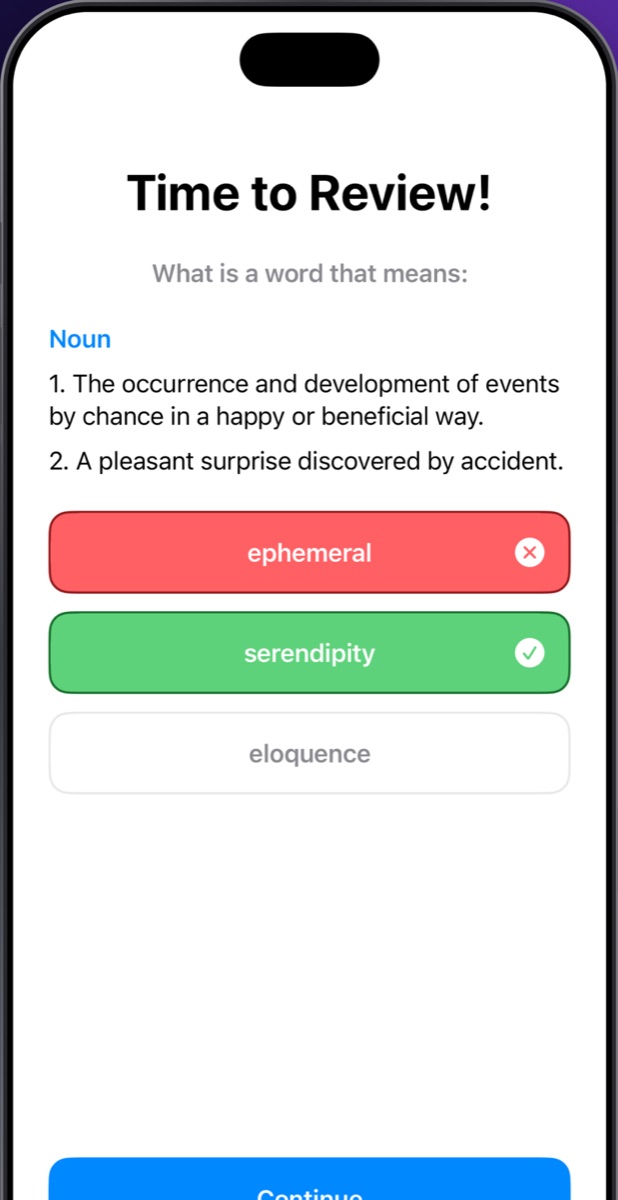
Review quiz asking for the word meaning a pleasant surprise discovered by accident
Remind

Reminders right
before you forget.

Spaced-repetition notifications arrive when a word is due. You can answer straight from the notification.

  • Spread across your morning, afternoon and evening
  • One word at a time, never a pile-up
  • The schedule adjusts as you add and learn words
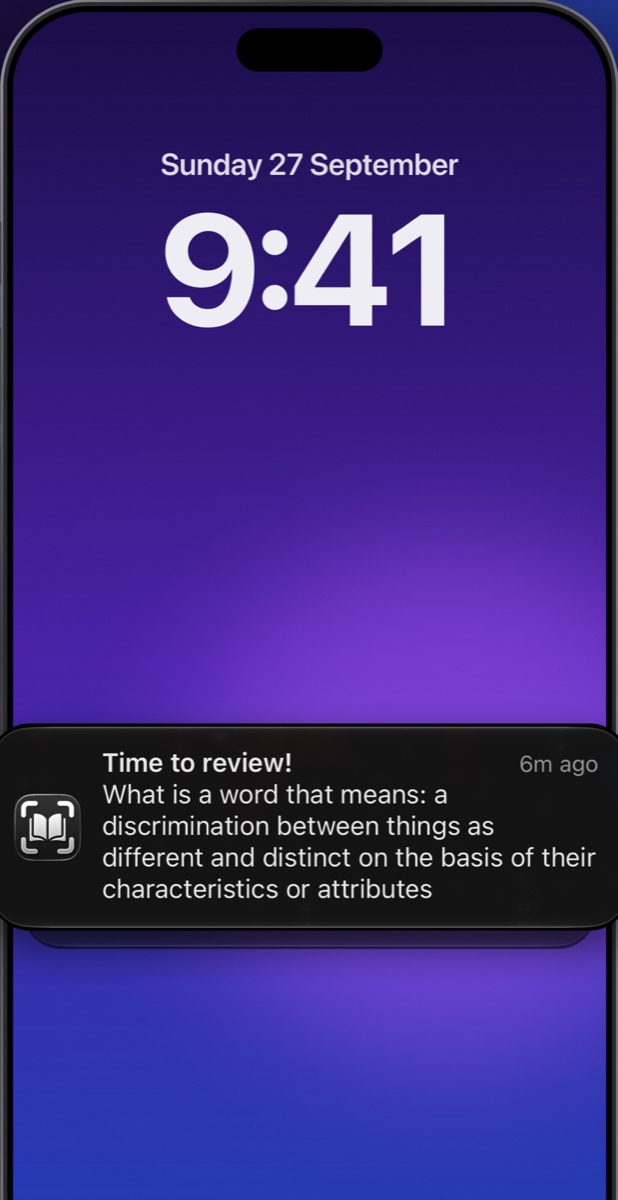
Lock screen showing a Time to review notification
Catch up

Your words
wait for you.

Missed a reminder? Every pending review is saved in one list, so you can go through them whenever you have a minute.
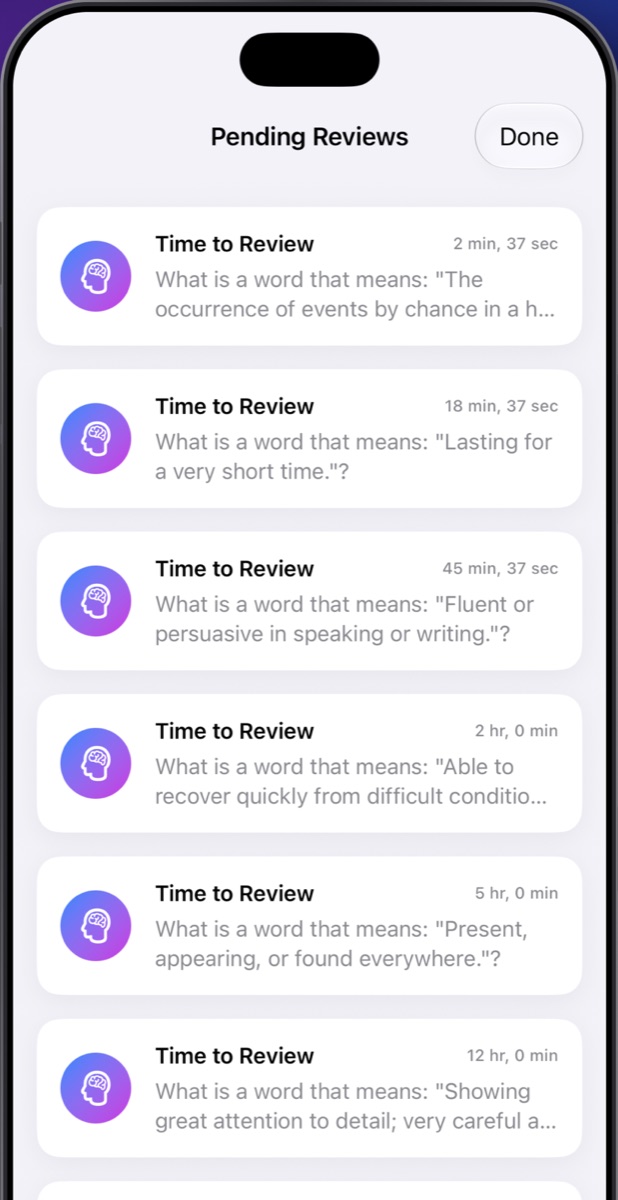
Pending Reviews list

How a word becomes yours

Each review comes a little later than the last, which is how long-term memory is built.

Same dayFirst review a few hours after you save it
+1 dayAfter your first correct answer
+3 daysAfter your second correct answer
LearntThree correct answers and it's done
Privacy

Your words stay on your iPhone.

No account, no tracking, no ads.

Camera stays local

Text is recognized on-device. Photos and camera frames are never uploaded or saved.

No data collected

Your word list and review history are stored only on your device. There's no account and no analytics.

Offline first

Definitions come from a dictionary built into the app. Only a rare word that isn't in it is looked up online.

Privacy policy

Last updated: 27 September 2026.

WordVision does not collect, store or share any personal information. It has no user accounts, analytics, advertising or tracking.

Camera

WordVision uses your camera only to recognize text so you can tap on words. Recognition happens on your device using Apple's frameworks. Images are not saved or sent anywhere.

Your learning data

The words you save, your review progress and your pending reviews are stored locally on your iPhone. Deleting the app deletes this data.

Dictionary lookups

Most definitions come from the built-in dictionary (Open English WordNet). If a word isn't found there and you're online, only that single word is sent to a third-party dictionary service (WordsAPI) to fetch its definition. Nothing that identifies you is sent with it.

Notifications

Review reminders are scheduled locally on your device. No push notification server is involved.

Contact

Questions about privacy? Email mshreyansh.dev@gmail.com.

Support

Questions & answers

The camera isn't picking up any words.

Make sure WordVision has camera access in Settings → Privacy & Security → Camera. Then hold the phone steady, fairly close to the page, in good light. If you see "No text found", tap Retake and move a little closer.

I'm not getting review reminders.

Check that notifications are allowed for WordVision in Settings → Notifications. Reminders only arrive for words you've added with Learn Word. Opening the app refreshes your review schedule.

How does the review schedule work?

Your first review comes a few hours after you save a word. After each correct answer the next one is 1 day, then 3 days away. Three correct answers mark the word as learnt. A wrong answer brings the word back a few hours later.

I missed a notification. Is the review lost?

No. Missed reviews are kept in Pending Reviews inside the app, so you can answer them any time.

Do I need an internet connection?

No. Scanning, the dictionary, reviews and reminders all work offline. A connection is only used to look up a word that isn't in the built-in dictionary.

Does WordVision sync between devices?

Not at the moment. Your words are stored only on the iPhone you saved them on.

WordVision app icon

Your next great word
is on the next page.

Download on the App Store